Top Laptop & Desktop Solid State Drives for Speed
- meenakshiarorastor
- Apr 11
- 3 min read
Upgrading to a solid-state drive (SSD) is one of the most effective ways to boost your computer’s performance. Whether you’re using a laptop for everyday tasks or a desktop for gaming and professional workloads, SSDs significantly improve boot times, file transfers, and overall responsiveness. In this guide, we explore the top laptop and desktop SSDs for speed in 2026, along with key buying tips and comparisons to help you choose the right one.
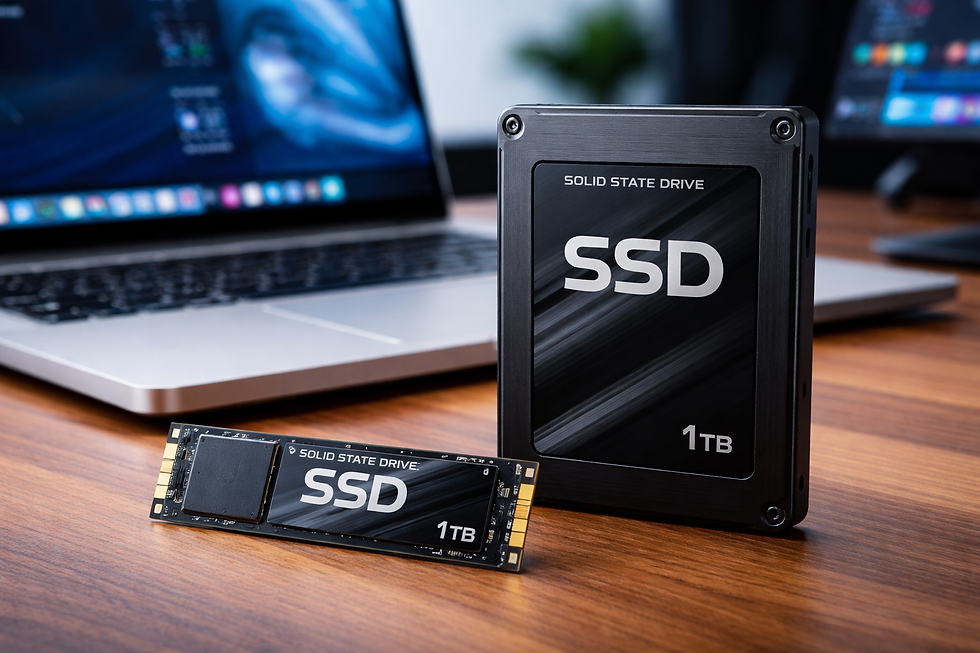
Why SSDs Are Essential in 2026
Traditional hard drives (HDDs) are now outdated for most users. SSDs use flash memory instead of spinning disks, making them much faster, more durable, and energy-efficient. Modern SSDs—especially NVMe (Non-Volatile Memory Express) drives—connect directly to your system via PCIe lanes, delivering blazing-fast speeds.
With increasing demand for high-speed storage (especially due to AI workloads), SSDs remain a critical upgrade despite rising prices.
🔍 Types of SSDs (Laptop & Desktop)
Before choosing the best SSD, you should understand the main types:
1. NVMe (M.2 PCIe) SSD
Fastest option available
Ideal for gaming, video editing, and heavy workloads
Common in modern laptops and desktops
2. SATA SSD (2.5-inch)
Slower than NVMe but still much faster than HDD
Compatible with older systems
Budget-friendly
3. PCIe Gen 4 & Gen 5 SSD
Latest generation with ultra-high speeds
Best for high-end desktops and workstations
🏆 Top SSDs for Laptop & Desktop (2026)
Here are some of the best SSDs currently available, categorized by performance and use case.
The WD Black SN850X is widely regarded as one of the best SSDs for both laptops and desktops. It offers exceptional read/write speeds, making it perfect for gaming, content creation, and multitasking.
✔ PCIe Gen4 performance✔ Excellent thermal management✔ Ideal for high-end users.
If you're looking for a balance between price and performance, the Crucial P3 Plus is a great option. It delivers fast speeds without breaking the budget.
✔ Great value for money✔ Suitable for students and casual users✔ Reliable performance.
This SSD is perfect for laptops due to its efficiency and consistent performance. It’s ideal for office work, browsing, and light gaming.
✔ Power-efficient✔ Smooth multitasking✔ Good durability.
Gamers and professionals will appreciate the Kingston KC3000’s speed and reliability. It handles large game files and demanding applications with ease.
✔ Ultra-fast read/write speeds✔ Ideal for gaming PCs✔ High endurance.
For professionals working with large datasets, 3D rendering, or AI applications, this SSD offers unmatched performance and reliability.
✔ Enterprise-grade speed✔ Excellent endurance✔ High capacity options.
If your system doesn’t support NVMe, a SATA SSD like this is still a major upgrade over HDDs.
✔ Compatible with older systems✔ Affordable✔ Easy installation.
Interface | PCIe Gen4 | PCIe Gen4 | PCIe Gen4 | PCIe Gen4 | PCIe Gen5 |
Speed | Very High | High | Moderate-High | Ultra High | Extreme |
Best Use | Gaming & Pro | Budget Use | Laptop Daily Use | Gaming & Editing | Workstations |
Power Efficiency | Medium | High | Very High | Medium | Low |
Price Range | Premium | Budget | Mid-range | Premium | Ultra Premium |
🧠 How to Choose the Right SSD
When selecting an SSD, consider these factors:
✔ Speed & Interface
NVMe drives are significantly faster than SATA. Always choose NVMe if your system supports it.
✔ Storage Capacity
500GB: Minimum for basic use
1TB: Ideal for most users
2TB+: Best for gamers and professionals
✔ Compatibility
Check whether your laptop or motherboard supports:
M.2 NVMe
SATA
PCIe generation
Budget
While high-end SSDs offer incredible speed, budget models still deliver excellent real-world performance.
⚡ Final Thoughts
SSDs have become essential for modern computing, offering unmatched speed, reliability, and efficiency. Whether you’re upgrading an old laptop or building a high-performance desktop, choosing the right SSD can dramatically improve your system’s performance.
Best Overall: WD Black SN850X
Best Budget: Crucial P3 Plus
Best for Laptops: WD Blue SN580
Best for Gaming: Kingston KC3000
Best for Professionals: Samsung 9100 Pro


Comments